
Private Android browser
The page gets through. The trackers don’t.
ArPar blocks ads and trackers, rejects cookie pop-ups and keeps your browsing on your phone. It downloads at about 10 MB, so it runs well on the phone you already have.
ArPar is free on Google Play, with no ads of its own, no account and no subscription.
The short version
about 10 MB
ArPar Private Browser install size · Install size as measured by meReported by me, as of Oct 2026
more than 190,000 ad and tracker domains
ArPar Private Browser blocklists · A floor, not an exact count, taken from the app's own count of its bundled lists on the date shownReported by me, as of Oct 2026
no ads of its own
ArPar Private Browser appReported by me, as of Oct 2026
14 languages
ArPar Private Browser websiteReported by me, as of Oct 2026
What ArPar does for you
Blocking is on from your first page. There is nothing to switch on and no account to make.
- Blocking
Blocks ads and trackers
Blocking runs from your first page, the shield shows what it stopped on the page you are on, and a per-site pause covers the rare page that needs them.
- Pop-ups
Rejects cookie pop-ups
On the consent pop-ups it recognises, ArPar chooses Reject for you before you have to see them.
- Privacy
Private mode
Private mode saves no history and no new cookies and blocks screenshots while it is open, and a fingerprint or screen lock can guard the whole app.
- Switching
Bring your bookmarks
Choose your exported bookmarks file and ArPar brings it in, with on-screen steps for Chrome, Firefox, Brave, Edge and DuckDuckGo.
- Reading
Read aloud
Read Aloud narrates any article while your hands or eyes are busy, and Reader mode strips a page down to its text.
- Blocking
Your own blocklist
Long-press any link and choose “Never show me” to block that site for good.
- Layout
Toolbar where your thumb is
Put the address bar at the top or the bottom, in a light or dark theme, and it collapses out of the way as you scroll.
- Data
Data saver
Data saver turns images off for slow or metered connections, and a running estimate shows the data you did not download.
- Security
HTTPS first
ArPar upgrades a site to its secure HTTPS version whenever the site offers one.
ArPar on a phone
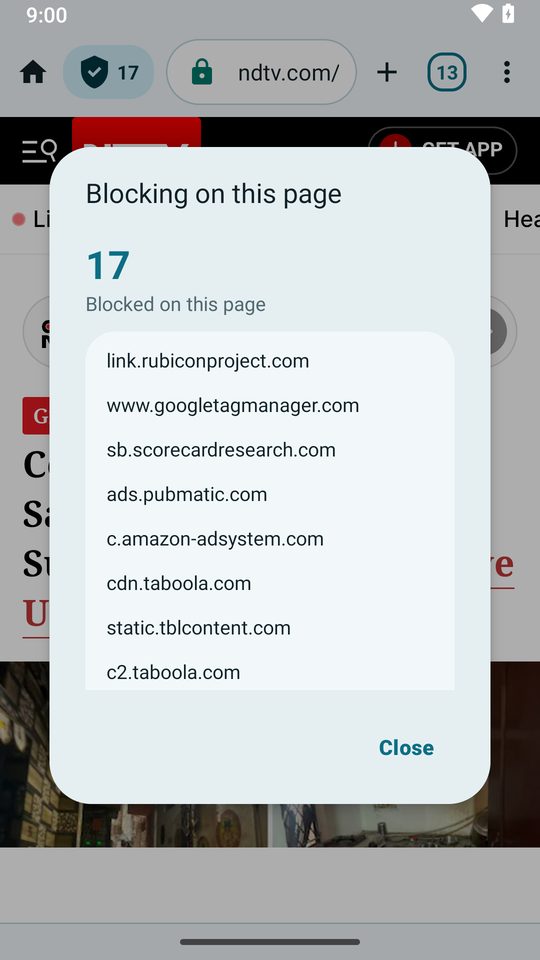
See what was blocked on any page 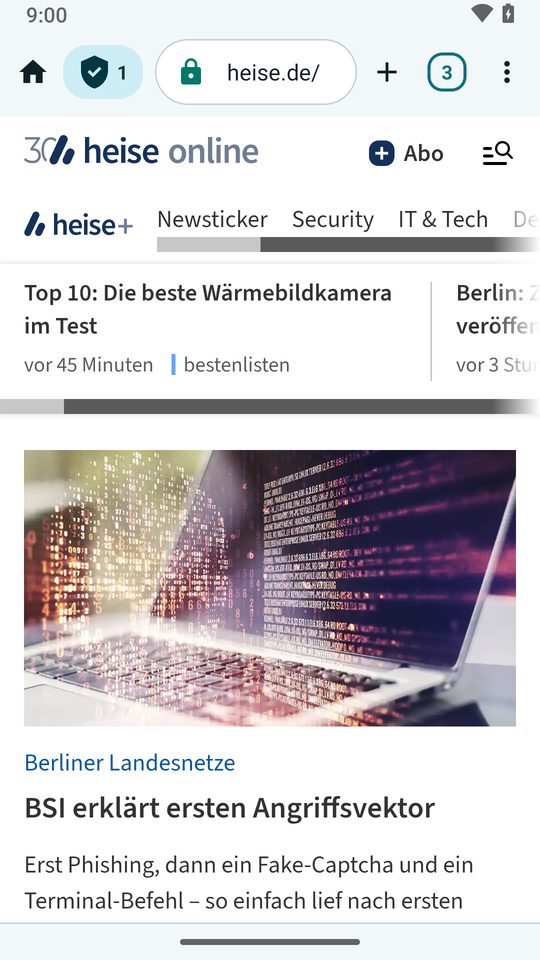
Cookie pop-ups, rejected for you 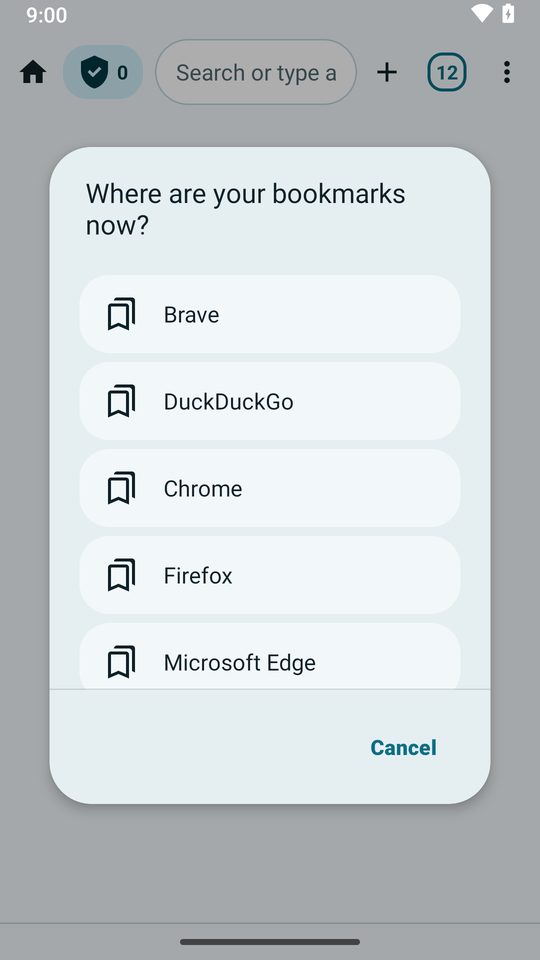
Bookmarks come with you 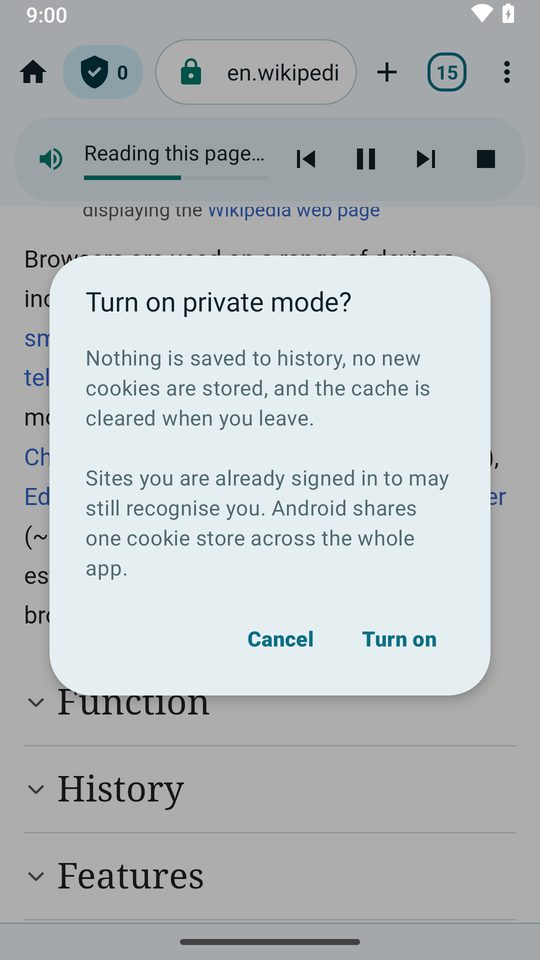
Private mode says what it does
ArPar Private Browser at a glance
ArPar is a free Android web browser that blocks ads, trackers and cookie pop-ups and keeps your browsing on your phone. It downloads at about 10 MB because it uses the web engine already on your phone instead of bundling its own.
| Platform | Android 8.0 and newer |
|---|---|
| Cost to use | Nothing. ArPar is free, with no subscription and no account. |
| Download size | Downloads at about 10 MB; it uses the web engine already on your phone. |
| Blocking | Ads, trackers and cookie pop-ups, using built-in lists of more than 190,000 ad and tracker domains. |
| Ads in the app | None |
| Your data | History, bookmarks and tabs stay on the device. |
| Languages | 14 languages: English, Arabic, German, Spanish, French, Hindi, Indonesian, Italian, Japanese, Portuguese, Russian, Turkish, Ukrainian and Vietnamese. |
| Publisher | YourTechConsultants |
| Built by | Raghav Palriwala, Indore, India |
| Formerly | Aegis Browser |
ArPar is free, and honest about it
- ArPar shows no ads of its own.
- No account, no sign-in, no subscription.
- ArPar has no server that receives the pages you visit.
- Ad and tracker lists ship inside the app, so nothing about your browsing is sent anywhere to decide what to block.
आर-पार
aar-paar
ArPar, pronounced “aar-paar”. It means straight through, from one side to the other. That’s the idea: the page you asked for gets through, and the trackers riding along with it don’t. ArPar was previously called Aegis.
Your browsing stays on your phone
History, bookmarks, tabs and site data are stored on your device and never uploaded. Android cloud backup is turned off for the app, and you can clear everything at any time from Menu, then Clean up.
Google’s crash reporting (Firebase Crashlytics) sends crash and “app not responding” reports, a request for its own settings, your phone model, Android version, the app version and a random installation ID; ArPar does not add the pages you visit, page titles or what you search for. It is on by default, and Settings, then Send crash reports, turns it off. The privacy policy lists the connections ArPar makes on its own, including that one.
Frequently asked questions
What is ArPar Private Browser?
ArPar is a free, private web browser for Android with a built-in ad and tracker blocker. It downloads at about 10 MB, shows no ads of its own, needs no account and keeps your history, bookmarks and tabs on your phone. It is made by YourTechConsultants and was previously called Aegis.
Does ArPar block ads and trackers?
Yes, ArPar blocks ads and trackers from the first page, using lists of more than 190,000 ad and tracker domains that ship inside the app. You can pause blocking for a single site, and the shield icon shows what was stopped on the current page.
Is ArPar Private Browser free?
Yes, ArPar is free to download and use, with no subscription, no account and no ads of its own.
How big is ArPar?
ArPar downloads at about 10 MB on Google Play. It is small because it uses the Android System WebView already on your phone instead of bundling its own web engine, which is why it suits older and low-storage phones.
Does ArPar collect my browsing data?
No, ArPar does not collect your browsing data: history, bookmarks, tabs and site data are stored on your device and never uploaded.
What does ArPar connect to by itself?
ArPar has no account, no ads of its own and no analytics or advertising service. Besides the pages you open, it can make a few connections on its own: (a) Google’s crash reporting (Firebase Crashlytics) sends crash and “app not responding” reports, a request for its own settings, your phone model, Android version, the app version and a random installation ID; ArPar does not add the pages you visit, page titles or what you search for. It is on by default, and Settings, then Send crash reports, turns it off. (b) Google Safe Browsing, which Android’s web engine uses to warn you about dangerous pages (through Google Play services). (c) Google Play, which checks whether an update is available (ArPar asks no more often than once every six hours) and can show the rating card. (d) Your search engine’s suggestions while you type in the address bar (on by default; Settings can turn it off). (e) The small icons of sites you pinned to the start page, and the downloads ArPar handles itself over plain http: an interrupted one can resume on its own, which contacts the server you chose for that download again. These requests send a reduced user agent without your phone model, and the Global Privacy Control signal, which asks sites not to sell or share your data (it is a request, and a site may ignore it). (f) ArPar’s own list server, a static file server on Cloudflare that the optional security list is downloaded from: a small version file about once a day and, when a newer list is due, the list itself, usually no more often than every few days (if a check or download fails it may try again after an hour, and it checks at once when you switch the setting on). It sees your IP address, the time and the file requested, plus the reduced user agent and the Global Privacy Control signal; ArPar sends no page address, search, identifier or app version with these requests. It is on by default, and Settings, then Update security list, turns it off, which deletes the downloaded list and stops further requests. The full list is in the app under Settings, then About, then What ArPar connects to.
Is ArPar a VPN?
No, ArPar is a browser, not a VPN. It blocks the requests that advertisers and trackers make; it does not route your traffic through a server or hide your IP address.
Which Android versions does ArPar support?
ArPar supports Android 8.0 and newer. It is available in 14 languages.
How do I delete my data?
Open Menu, then Clean up, and choose what to clear: keep your cookies and stay signed in, or pick exactly what to clear. Uninstalling the app removes everything it stored. The data deletion section of the privacy policy has the details.
Guides
Short guides to what ArPar does and how it works.
ArPar in 14 languages
ArPar follows your phone’s language, and you can set a different one for ArPar alone in Settings. Choose a language to read about ArPar in it.
Questions or bugs?
Write to yourtechconsultants24x7@gmail.com with a question, a bug report or an idea.
Your next page, straight through
ArPar is free on Google Play. It downloads at about 10 MB, shows no ads of its own and needs no account.